 Dashly
A better home screen for your car stereo
Dashly replaces the launcher on Android head units with large, easy-to-read panels for your music, your next turn and your speed. Everyone who drives the car gets a home screen of their own.
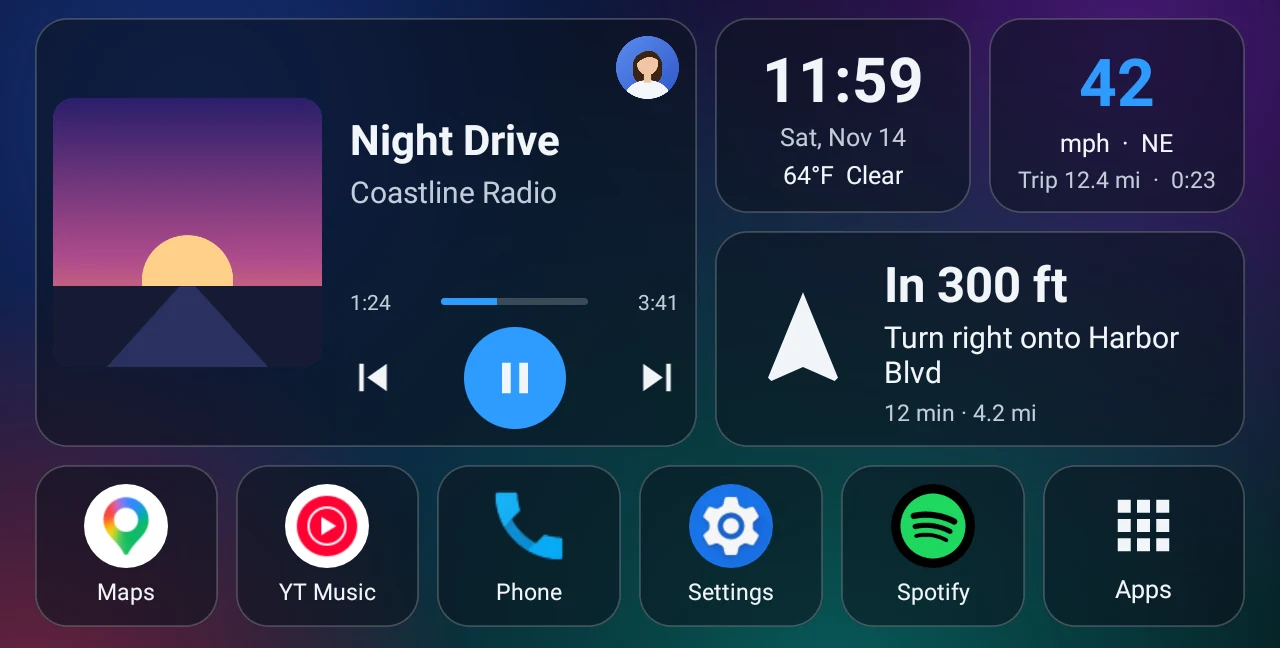
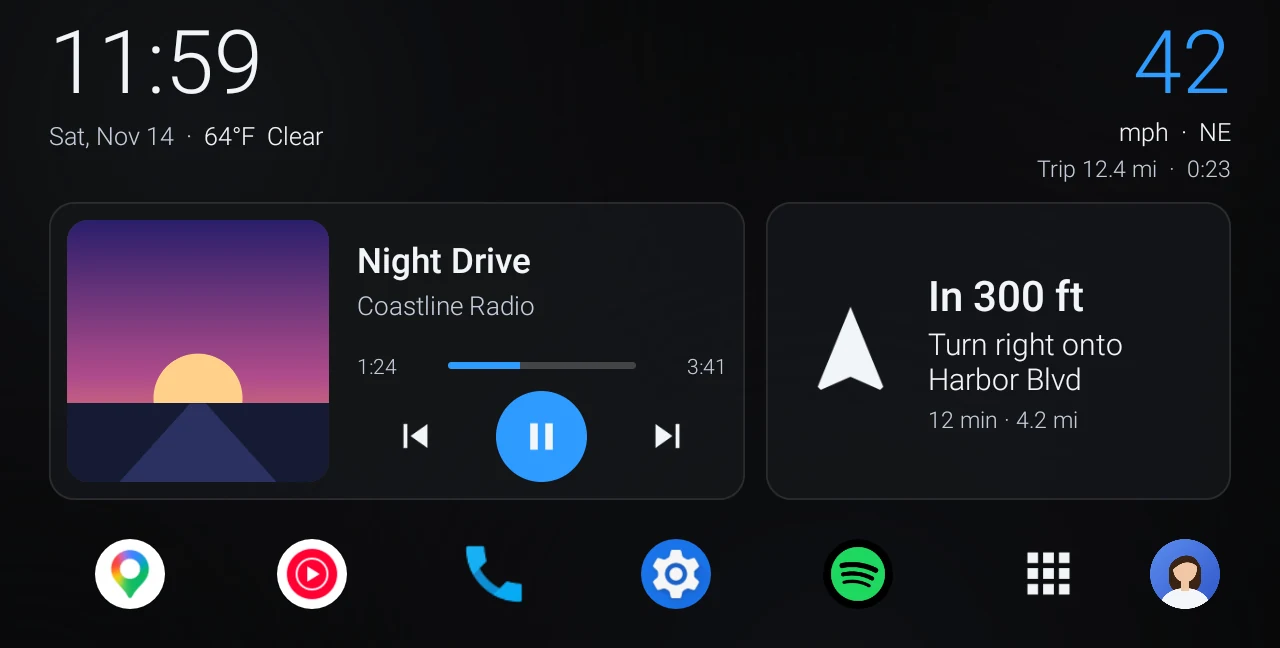
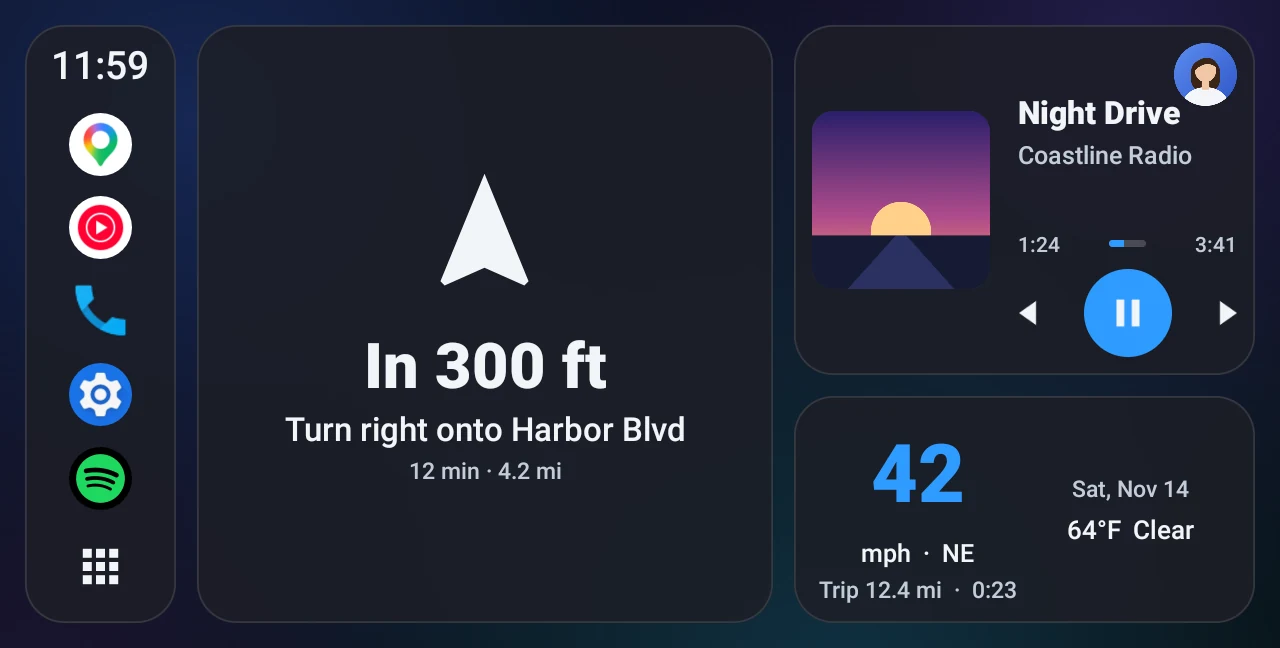
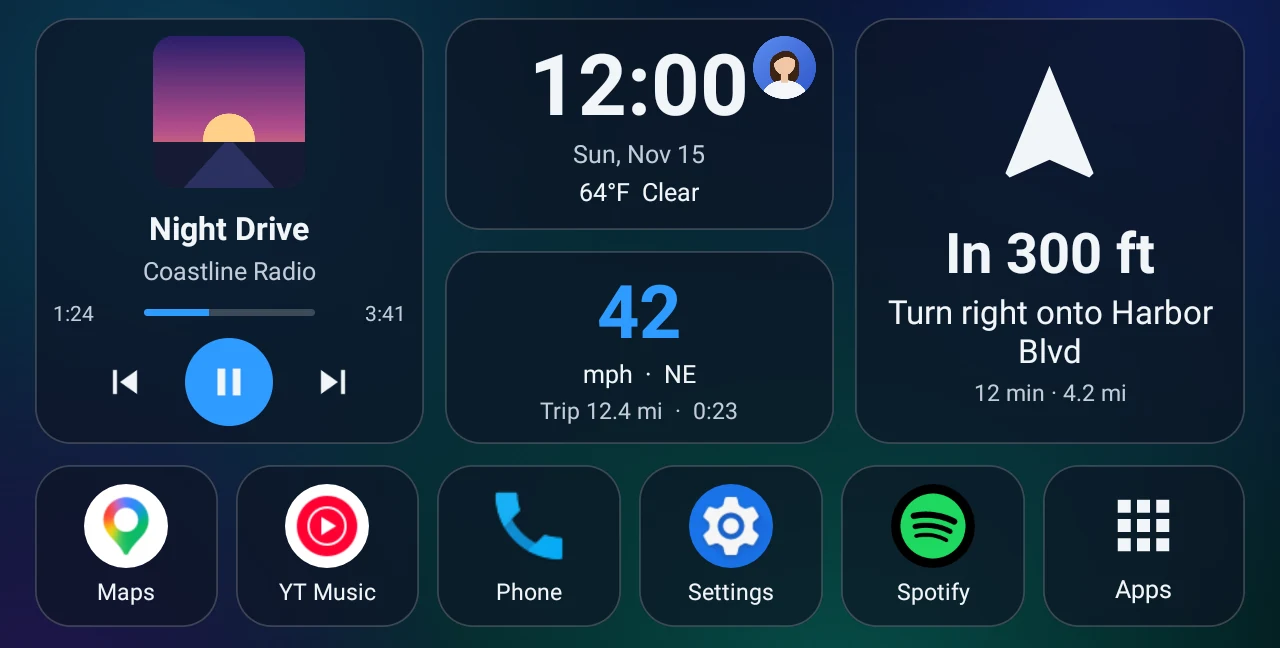
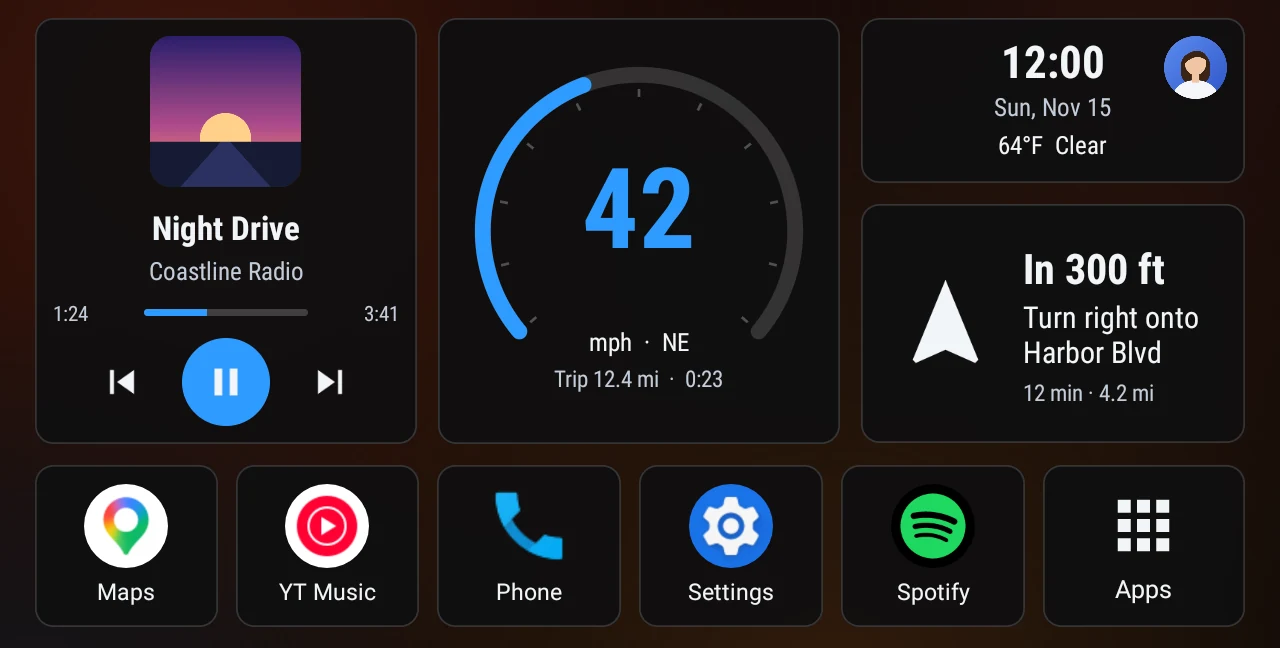
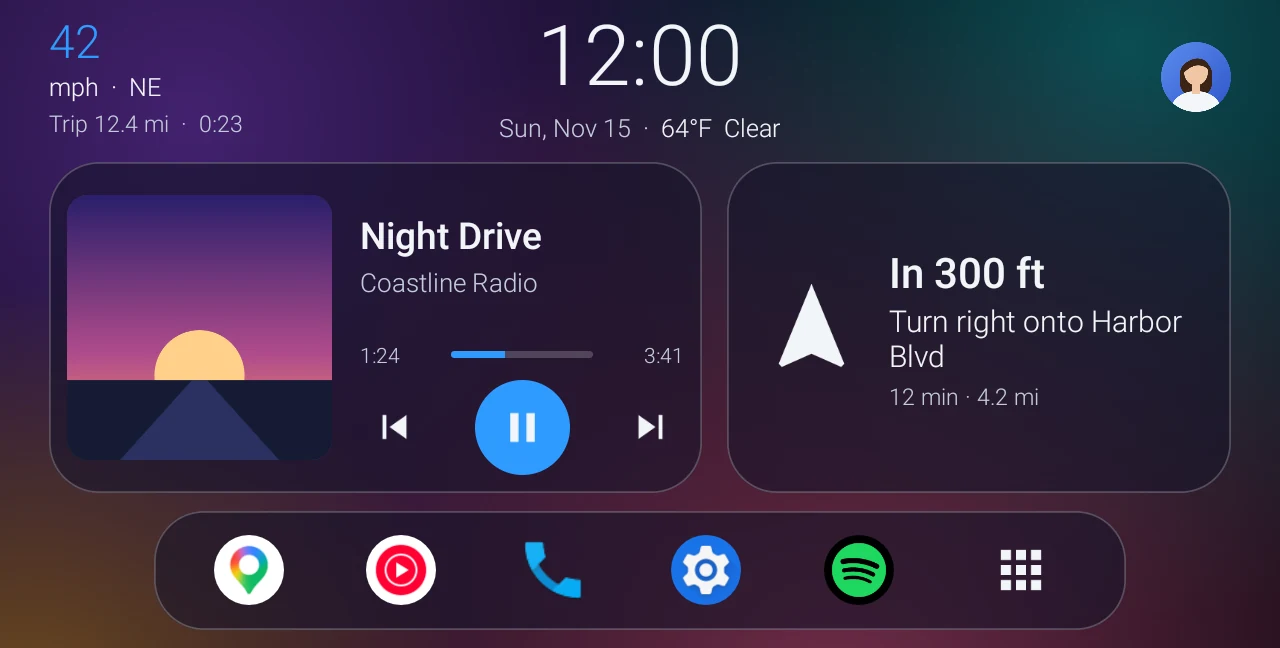
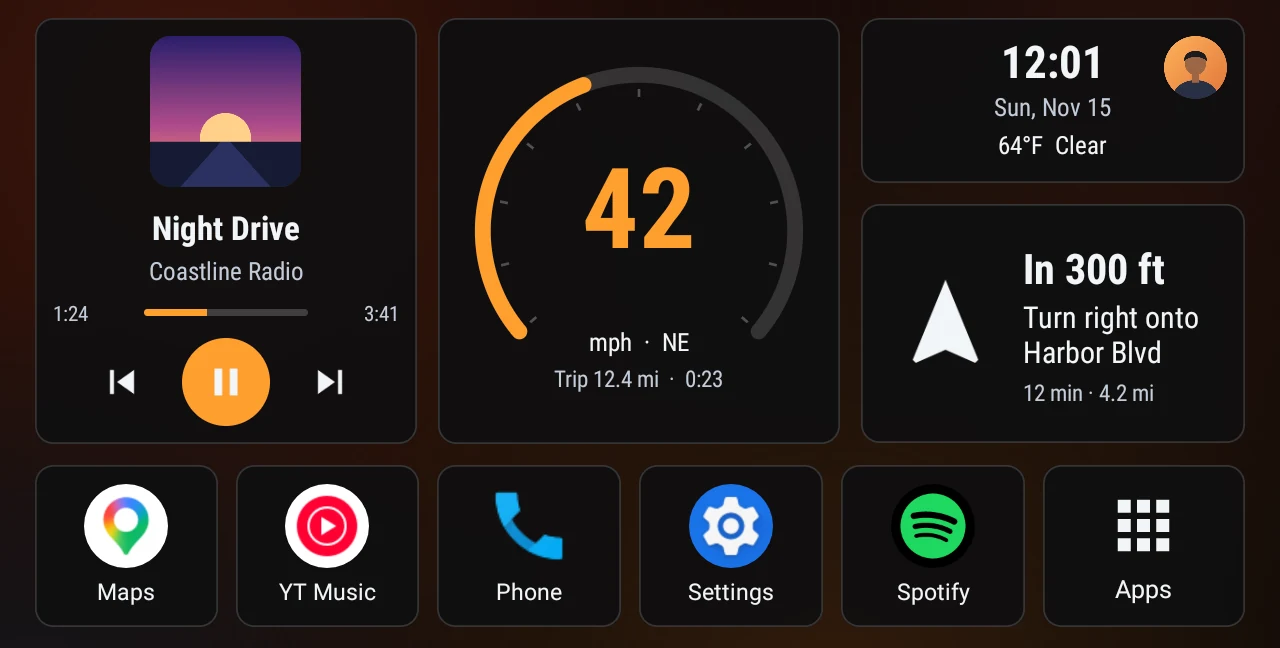
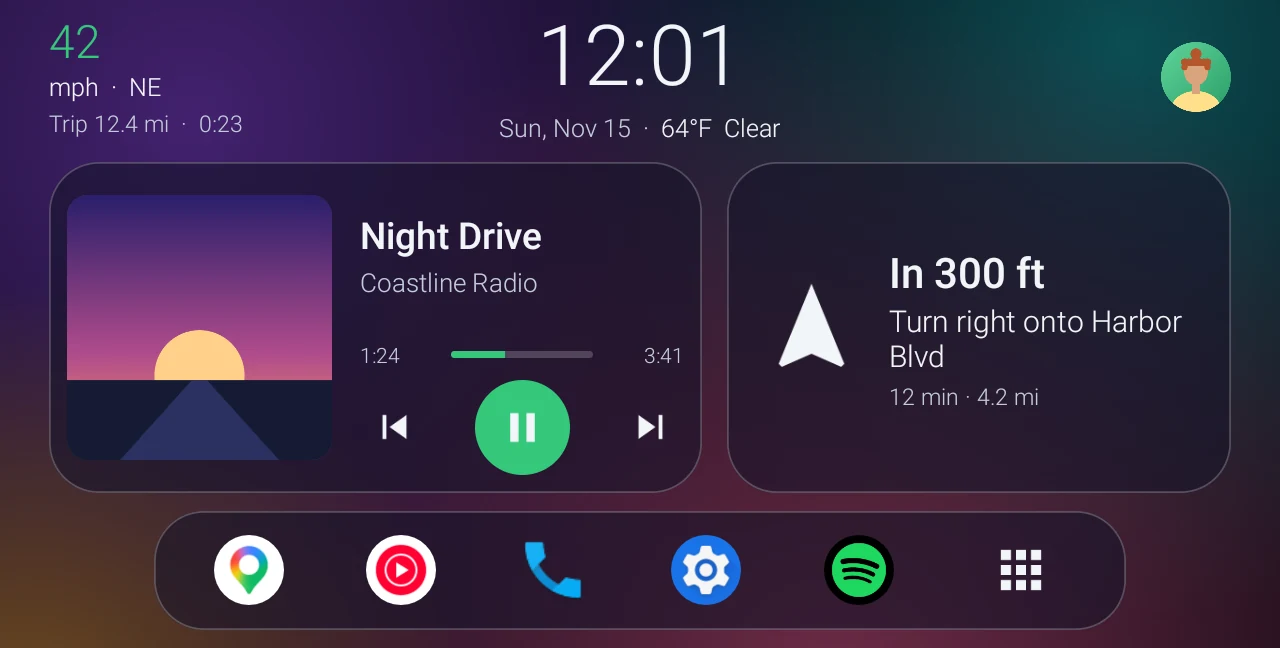
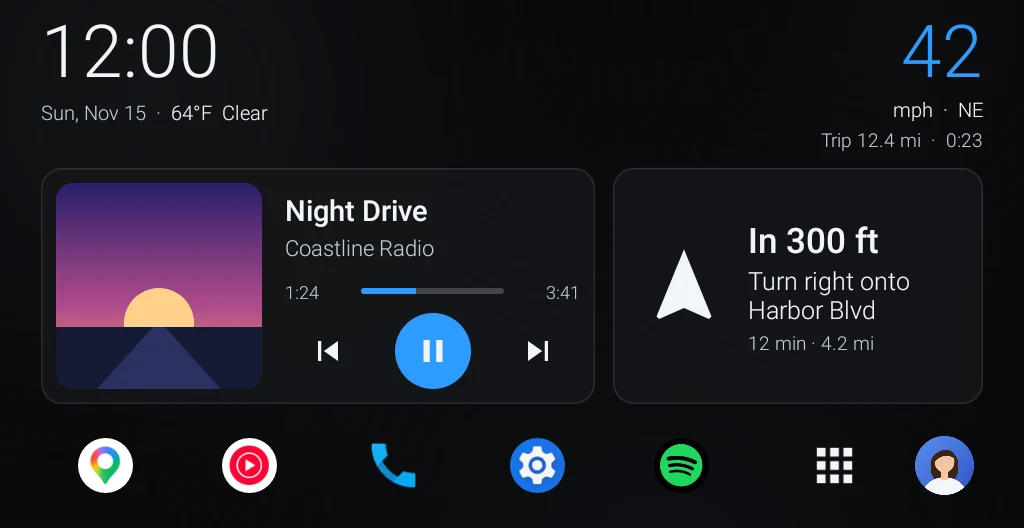
Real screenshots of Dashly at 1280×720, the screen size of most 9 and 10 inch units. The song and route are sample content.
Every driver gets their own home screen
Share the car, not the setup. Each driver has their own theme, colours, wallpaper, apps and saved places, and Dashly switches to them in one tap.
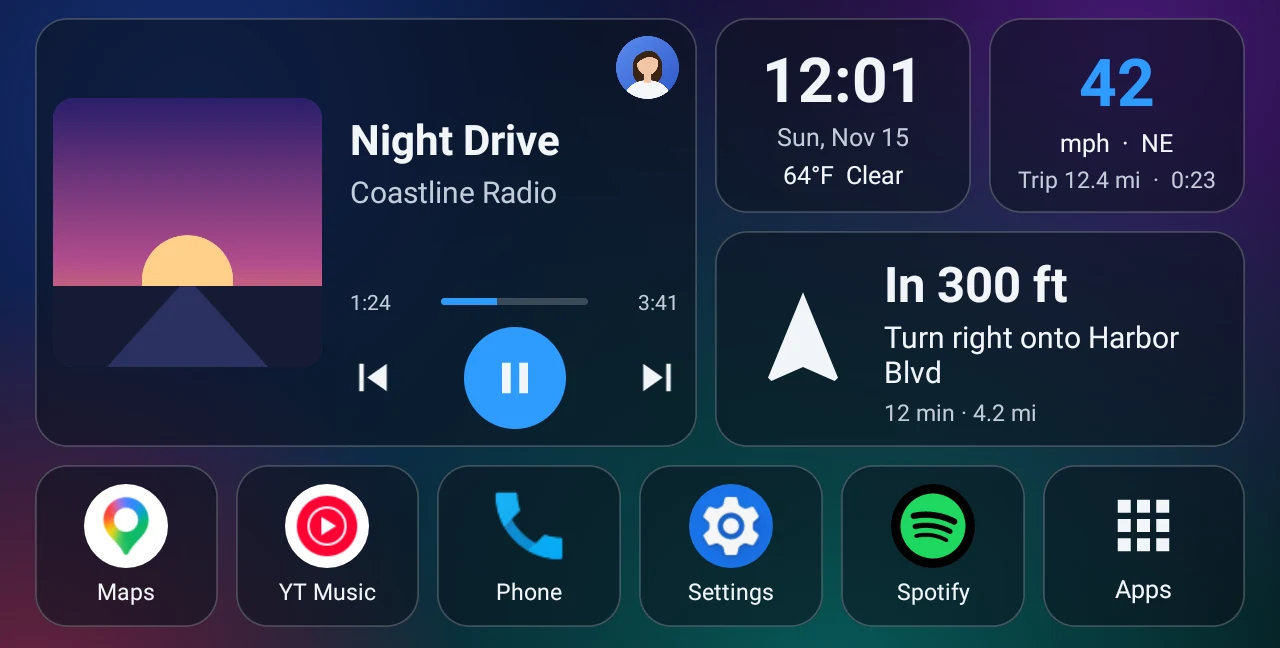
What each driver keeps
- Look
- Theme, accent colour, wallpaper and glass
- Picture
- A photo, shown on the home screen and when choosing
- Apps
- Dock buttons and hidden apps
- Places
- Home and Work addresses, and the map app
- Units
- mph or km/h, °F or °C, and weather on or off
- Starting up
- Music to resume and apps to open
- Size
- Smaller, normal or larger panels
When the car starts
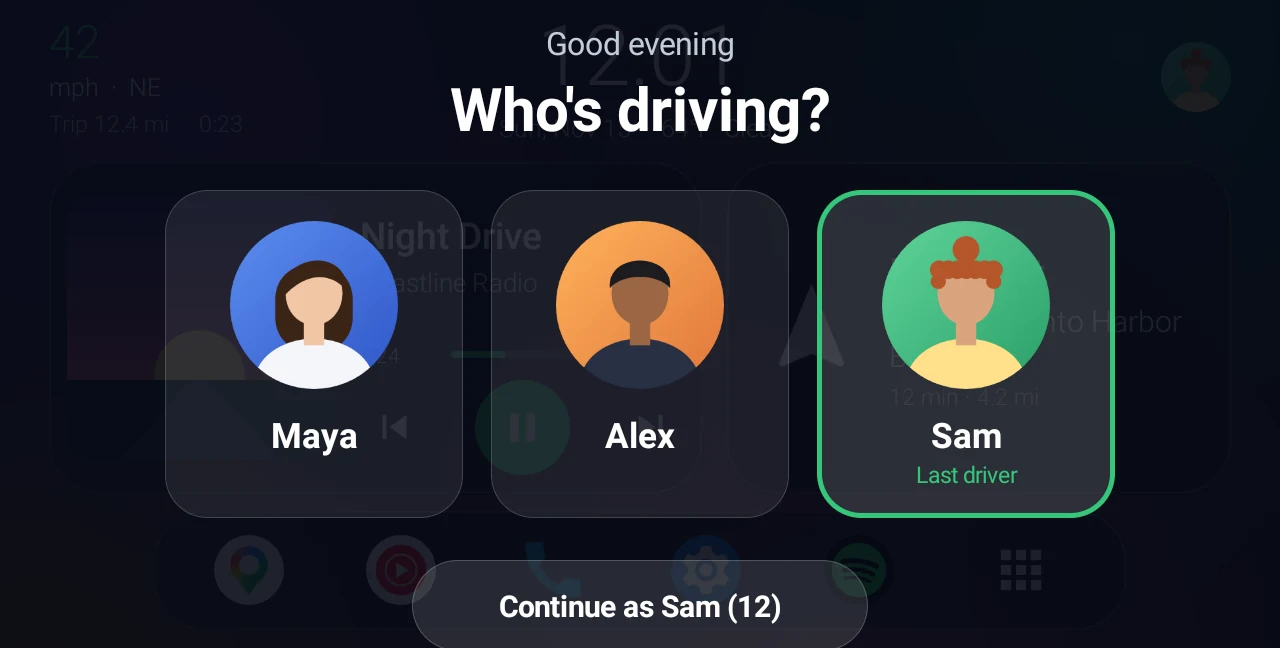
- Dashly asks who's driving.
- Tap your picture. If nobody taps, it carries on as the last driver after a few seconds.
- Your home screen appears, and your music and navigation can start by themselves.
Everything you need while driving
The things you look at most, in one place, sized to read at a glance. Your apps sit in a dock along the bottom, and the full app list is one tap away.
- Music
- Song, artist and album art from Spotify, YouTube Music, the radio app or anything else that plays. The controls work even before you give it access.
- Directions
- Your next turn from Google Maps or Waze, right on the home screen. Home, Work and Search start a route in one tap.
- Speed and trip
- Speed from GPS, the direction you're heading and a trip meter. Tap to switch between mph and km/h.
- Your apps
- Put the apps you use most in the dock. The full app list has search, and you can hide the apps you never open.
- Starting the car
- Resume your music and open your navigation app automatically, then come back to the home screen.
- Night
- A darker, dimmer look after sunset, and an optional screen dimmer that only applies to the home screen.
Fits your head unit
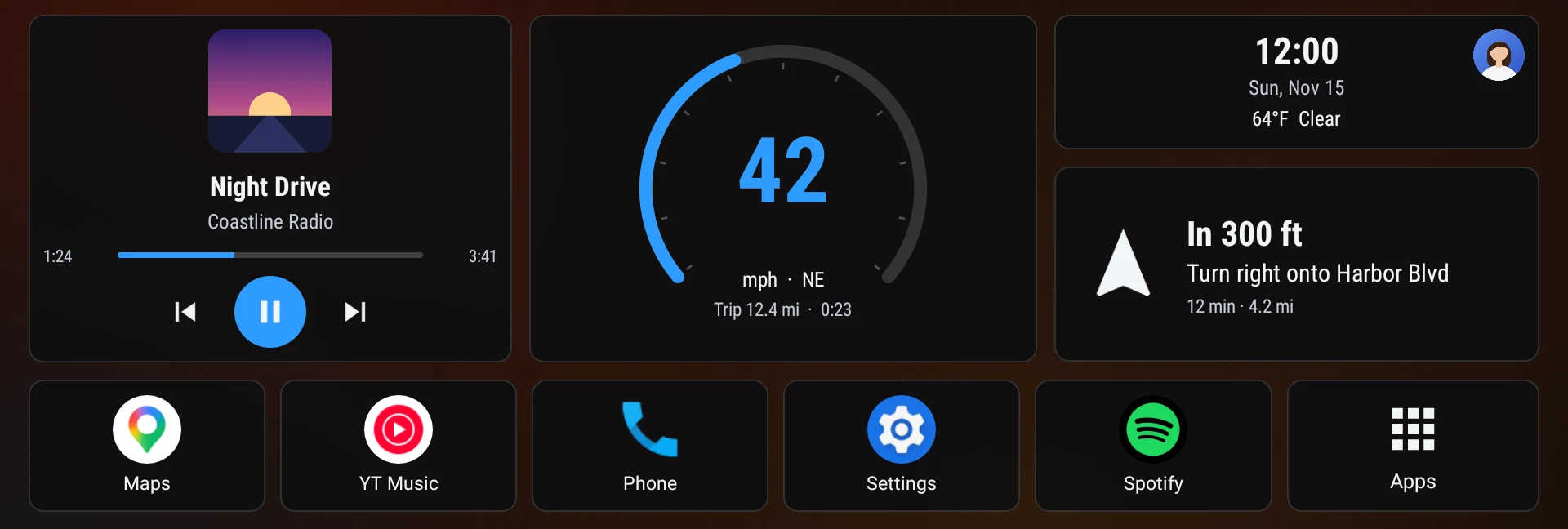
Head units come in all shapes. Dashly works out the size of yours and scales every panel to match, so text stays readable on a small 7 inch screen and nothing looks stretched on an ultra-wide one.
- Screens
- 800×480 up to 1920×720, and tall portrait units
- Android
- 8.0 or newer
- Made for
- TS10-style head units and other Android stereos
- Account
- None needed
- Ads
- None
- Setup
- Three steps on first launch
Your data stays in your car
Dashly has no account and no ads, and it never sends your data to us. Everything you set up is stored on the head unit.
- Weather is optionalTo show the temperature, a rough location is sent to a weather service. Turn it off during setup and nothing is sent at all.
- Problem reports are up to youIf something goes wrong, you can send a report by email from the head unit or by scanning a code with your phone. Nothing is sent automatically.
- Questions?Email support@dashlycar.com